
Mouse Hand: What It Is, How to Relieve It, and When to Get Help
If your hand hurts after using a mouse for long periods, you are not alone. Many people use the phrase “mouse hand” to describe pain, numbness, tingling, stiffness, or weakness in the hand and wrist that shows up after repeated computer use. It is not a formal diagnosis, but it often points to repetitive strain from long hours of clicking, scrolling, and holding the same position.
In mild cases, symptoms can improve with rest, better ergonomics, and activity changes. If symptoms keep coming back, get worse, or start affecting grip strength and daily tasks, it is a good idea to speak with a healthcare professional.
Common mouse hand symptoms
People describe mouse hand in different ways, but common symptoms include:
- Aching or soreness in the wrist, palm, thumb, or forearm
- Tingling or numbness in the fingers
- Stiffness after working at the computer
- Weak grip or hand fatigue
- Pain that gets worse after long periods of mouse use
These symptoms can overlap with issues such as wrist strain, tendon irritation, or nerve irritation. That is why it helps to pay attention to when the pain starts, where it shows up, and what makes it better or worse.
Why it happens
Mouse hand is often linked to repeated small movements plus poor recovery time. A few common triggers are:
- Using a mouse for hours without breaks
- Keeping the wrist bent or unsupported
- Gripping the mouse too tightly
- Working with a desk, chair, or keyboard position that forces awkward angles
- Ignoring early warning signs like tingling, tightness, or fatigue
Even a well-designed setup can become a problem if you stay in one position too long. Repetition matters just as much as posture.
How to relieve mouse hand at home
1. Take short breaks before the pain builds
If your symptoms are mild, the first step is simple: reduce continuous mouse time. Stand up, stretch, and relax your hands every 30 to 60 minutes. Small breaks are often more helpful than waiting until the pain becomes intense.
2. Loosen your grip
Many people unconsciously squeeze the mouse when they are focused or stressed. Try using a lighter touch and let your forearm do more of the movement instead of overworking just the wrist and fingers.
3. Improve your workstation setup
Your wrist should stay in a more neutral position, not sharply bent up, down, or sideways. It may help to:
- Keep your mouse close to your body
- Adjust chair height so your forearm is roughly level with the desk
- Place the keyboard and mouse where your shoulders can stay relaxed
- Use a setup that reduces reaching and wrist extension
A more comfortable workstation will not solve every problem, but it can reduce daily strain.
4. Try gentle movement, not aggressive rubbing
If your hand feels stiff, gentle motion can help more than forceful massage. Slowly open and close the hand, rotate the wrist within a comfortable range, and stretch lightly. If rubbing or pressing makes symptoms sharper, stop.
5. Use support when you need a reminder to rest the area
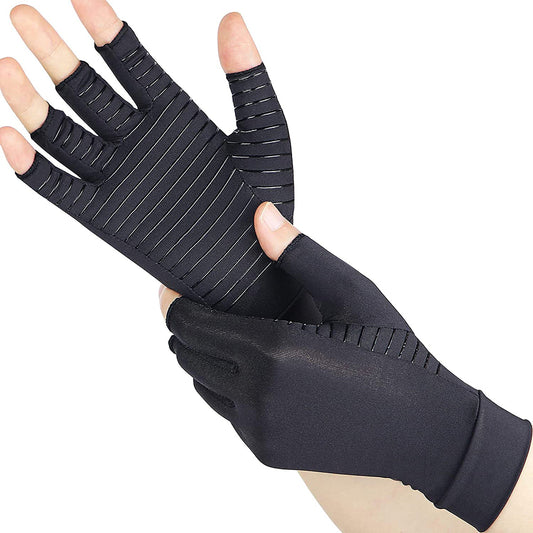
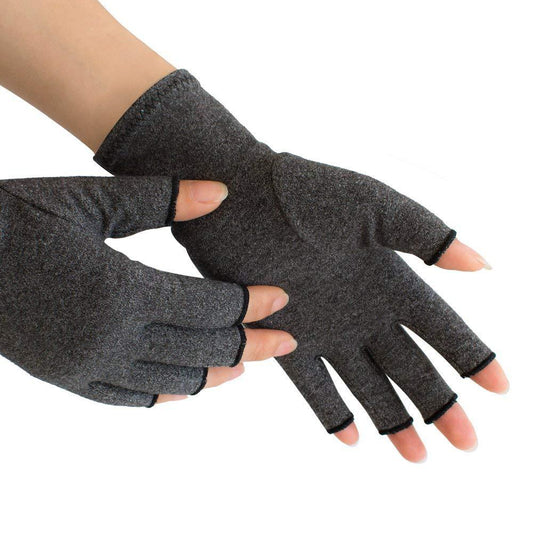
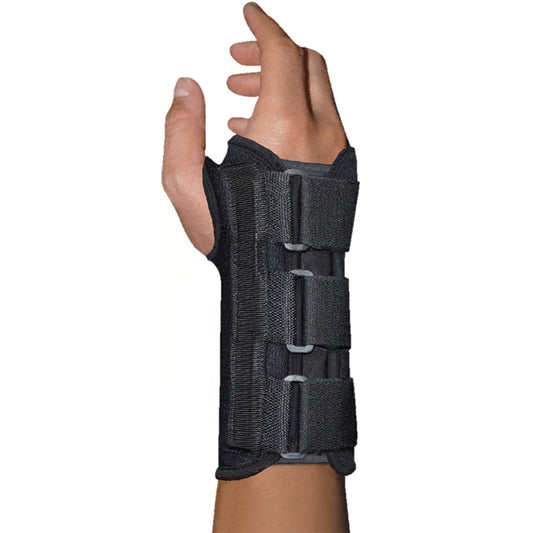
Some people find that light wrist support is useful during rest periods or light activity because it can remind them not to overuse a sore wrist. Support should not replace breaks, stretching, or workstation changes, and it should not be so tight that it causes more numbness or discomfort.
Mistakes that can make it worse
- Working through pain every day: mild irritation can become harder to calm down if you keep repeating the same strain.
- Wearing very tight support: more compression is not always better.
- Keeping the wrist completely still all day: gentle movement and regular breaks are usually better than staying frozen in one position.
- Ignoring numbness or weakness: these symptoms deserve more attention than simple soreness.
When to get medical help
You should consider professional evaluation if:
- Pain is severe or keeps returning
- Numbness or tingling is frequent
- You notice weakness or dropping objects
- Symptoms wake you up at night
- Rest and setup changes do not help after several days to a few weeks
A clinician can help determine whether the problem is a simple strain or something that needs a more specific treatment plan.
How to choose wrist support for desk work
If you want extra support for occasional soreness, look for a brace or wrap that feels comfortable, does not dig into the skin, and gives mild stability without making your hand feel restricted. The goal is support and awareness, not squeezing the wrist as tightly as possible.

Wrist Support Collection
Browse wrist support options for everyday comfort, work, and light activity.
Why it may help: If computer work leaves your wrist feeling tired or overworked, a supportive option may be a practical next step while you also improve your setup and break routine.
A practical daily plan for mouse hand
If your symptoms are mild, start with this simple routine:
- Reduce long, uninterrupted mouse sessions
- Check your chair, desk, and mouse position
- Relax your grip and keep the wrist closer to neutral
- Do a few gentle stretches during the day
- Use wrist support selectively if it helps you avoid overuse
- Get medical advice if numbness, weakness, or ongoing pain continues
If you want to explore supportive options, you can browse the wrist support collection as a helpful next step.
FAQ
Is mouse hand the same as carpal tunnel?
Not exactly. “Mouse hand” is a casual term people use for hand or wrist pain from computer use. Carpal tunnel syndrome is a specific condition involving pressure on the median nerve. Because symptoms can overlap, persistent numbness or weakness should be checked by a professional.
Should I stop using the mouse completely?
Not always. For mild symptoms, reducing use, taking frequent breaks, changing your setup, and avoiding long continuous sessions may be enough. If pain is significant, temporary rest may help more.
Can a wrist brace cure mouse hand?
A brace is not a cure. It may provide support or help remind you to avoid aggravating positions, but lasting improvement usually depends on reducing repetitive strain and improving how you work.
What is the best sleeping position for wrist pain?
Try not to sleep with the wrist tightly bent. Keeping the wrist in a more neutral position may be more comfortable for some people. If night symptoms are frequent, seek medical advice.